
Last updated: March 18, 2025
If you’d like to prevent your membership from renewing automatically, follow these simple steps to manage your subscription settings on PAACADEMY:
Step-by-Step Guide to Stop Auto-Renewal
Step-by-Step Guide to Stop Auto-Renewal
Step 1: Log in to Your Account
Visit PAACADEMY.com and log in using your registered email and password.
Step 2: Access Your Dashboard
After logging in, click on your profile picture in the top-right corner of the page and select “Dashboard” from the dropdown menu.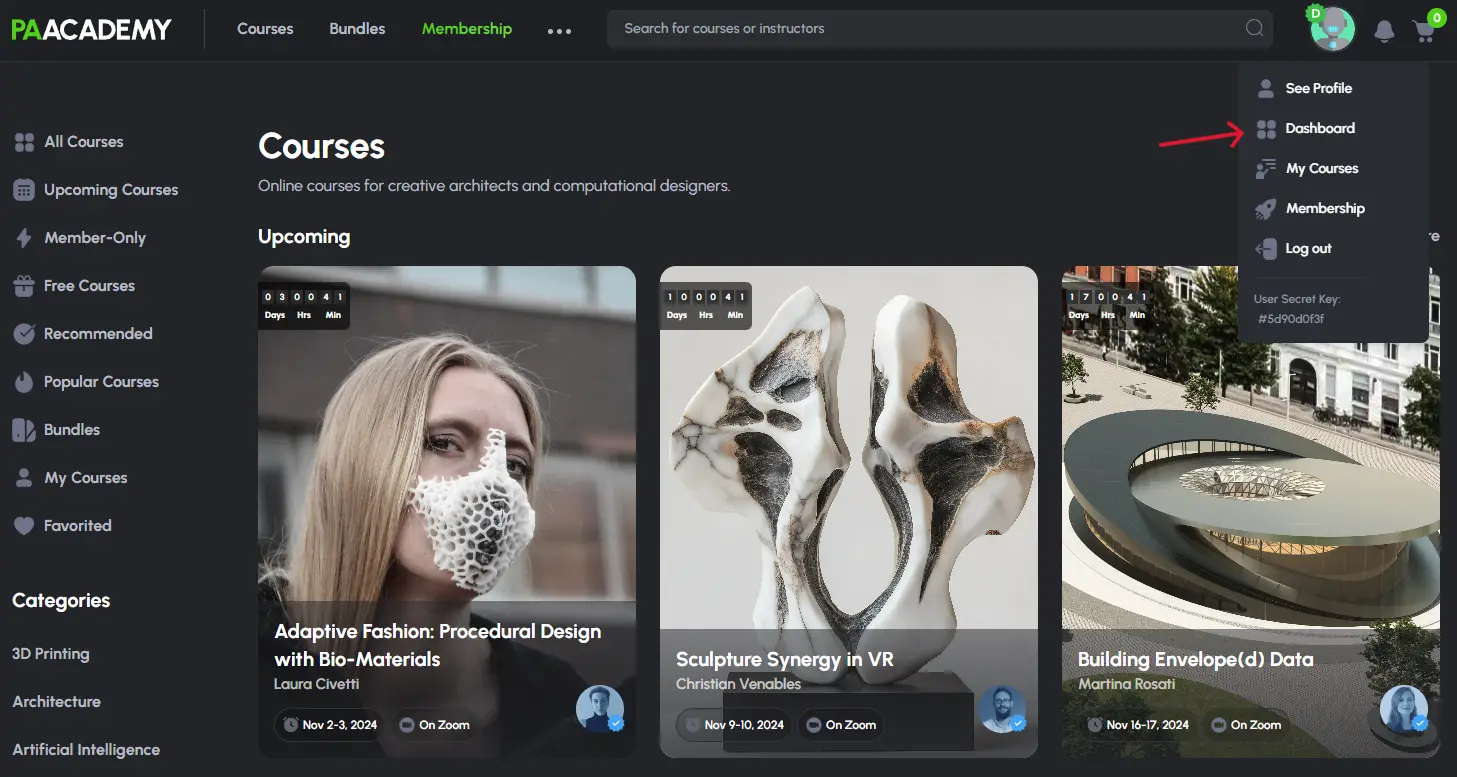
Step 3: In the Dashboard, click on the “Membership” tab to view your active membership details.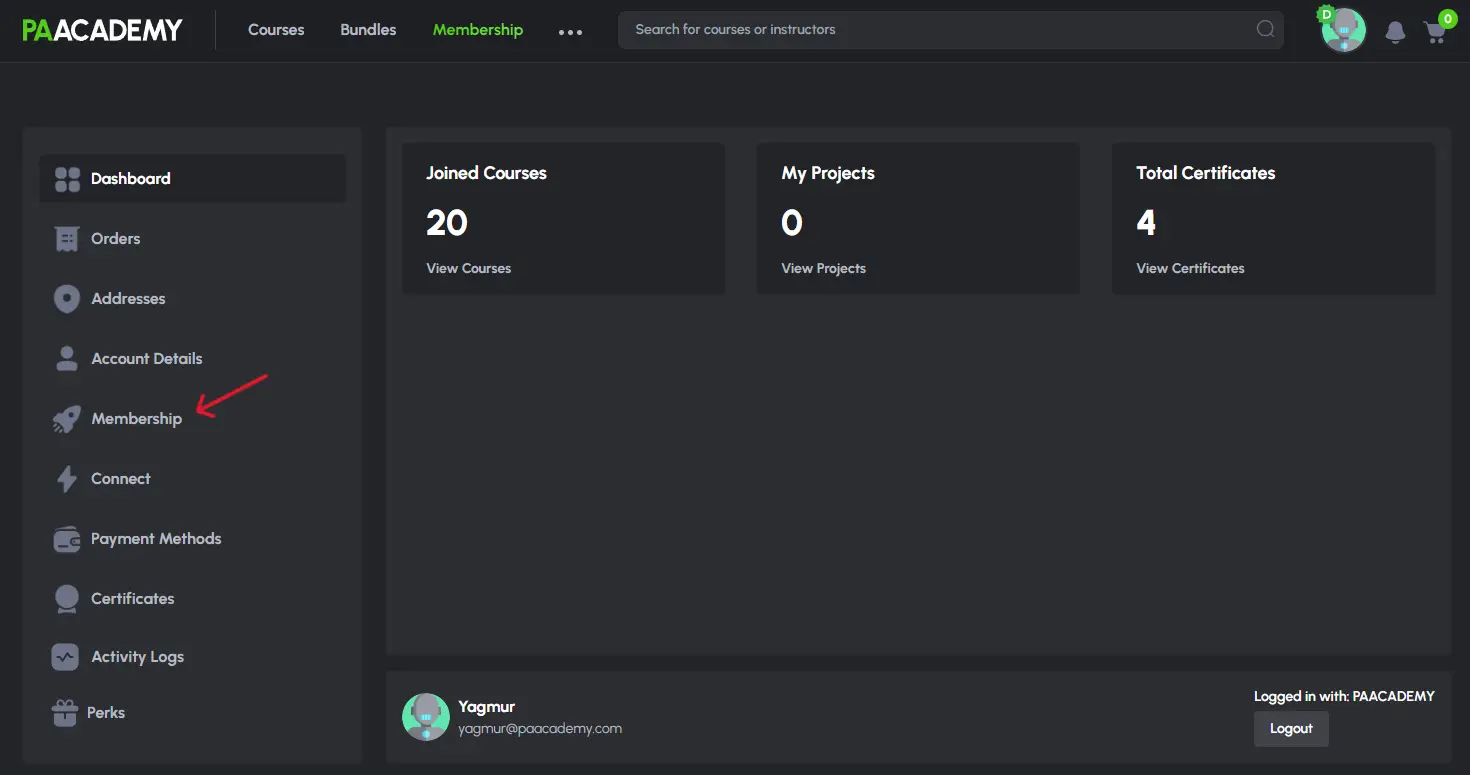
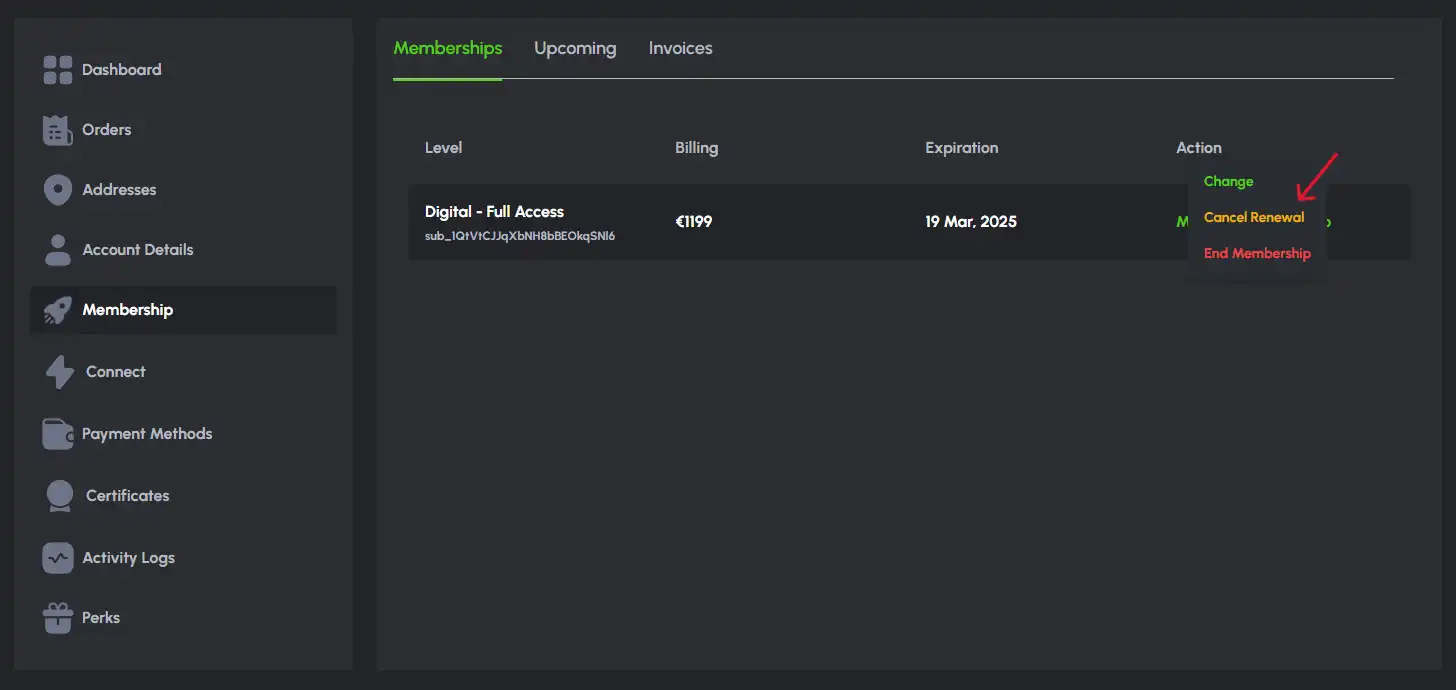
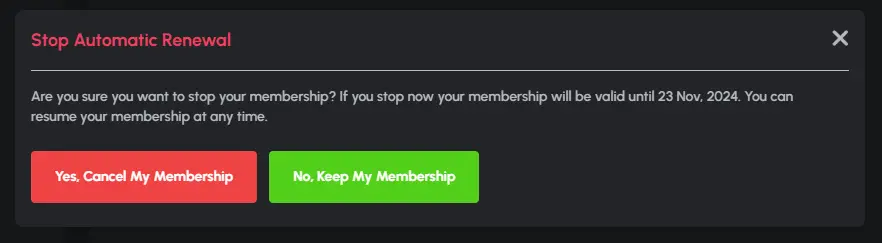
Step 4: Click on the “Cancel Renewal” button to cancel auto-renewal for your membership.