This workshop covers the complete process of creating professional architectural diagrams, from understanding design ideas to presenting them effectively in a portfolio.
Students will learn how to translate architectural thinking into clear visuals using a structured workflow that combines SketchUp, Adobe Illustrator, and AI tools.
The scope includes creating a wide range of diagrams such as parti diagrams, bubble diagrams, conceptual zoning, program/functional diagrams, form development diagrams, site and urban mapping, exploded axonometric diagrams, and activity diagrams.
Along with this, the workshop also focuses on workflow efficiency, visual clarity, and portfolio integration, ensuring that students not only create diagrams but also understand how to use them effectively in real-world architectural presentations and job applications.
The workshop follows a step-by-step, workflow-based approach, where students learn how to move from idea → model → diagram → presentation. The methodology begins with understanding diagram logic and preparing clean 3D models in SketchUp, followed by translating those models into precise diagrams using Adobe Illustrator.
As the sessions progress, students apply these workflows to create multiple types of architectural diagrams, gradually moving from basic to advanced levels. In the later stages, AI tools are introduced to enhance diagram visuals, speed up production, and explore different graphic styles, making the overall process more efficient and contemporary.
The workshop is designed to be hands-on and practice-oriented, where students actively follow along during sessions and apply the techniques on their own projects or provided practice files.
All work, including the final output, is done individually, ensuring that each student develops a clear personal workflow and portfolio-ready set of diagrams. Continuous guidance, assignments, and optional feedback opportunities help students refine their work throughout the workshop.
Program of the Workshop
Day 1 – Foundations & Core Diagram Development
Session 1: Introduction & Diagram Thinking
- Introduction to the workshop and outcomes
- Importance of diagrams in architecture
- Student vs professional diagrams
- Overview of the workflow (SketchUp → Illustrator → AI → Portfolio)
- Types of diagrams and their purpose
Session 2: SketchUp for Diagram Preparation
- SketchUp interface basics
- Modeling for diagrams (simplified geometry)
- Groups, tags, and organization
- Scene setup (plan, axonometric, parallel projection)
- Exporting vector linework
Session 3: Illustrator Basics
- Adobe Illustrator fundamentals
- Vector vs raster graphics
- Tools, interface, and navigation
- Importing SketchUp linework
- Basic editing and organization
Session 4: Core Diagram Creation
- Parti diagrams
- Bubble diagrams
- Conceptual zoning
- Program / functional diagrams
- Guided practice
Day 2 – Advanced Diagrams, AI & Portfolio Integration
Session 5: Advanced Diagram Techniques
- Form development diagrams
- Site and urban mapping
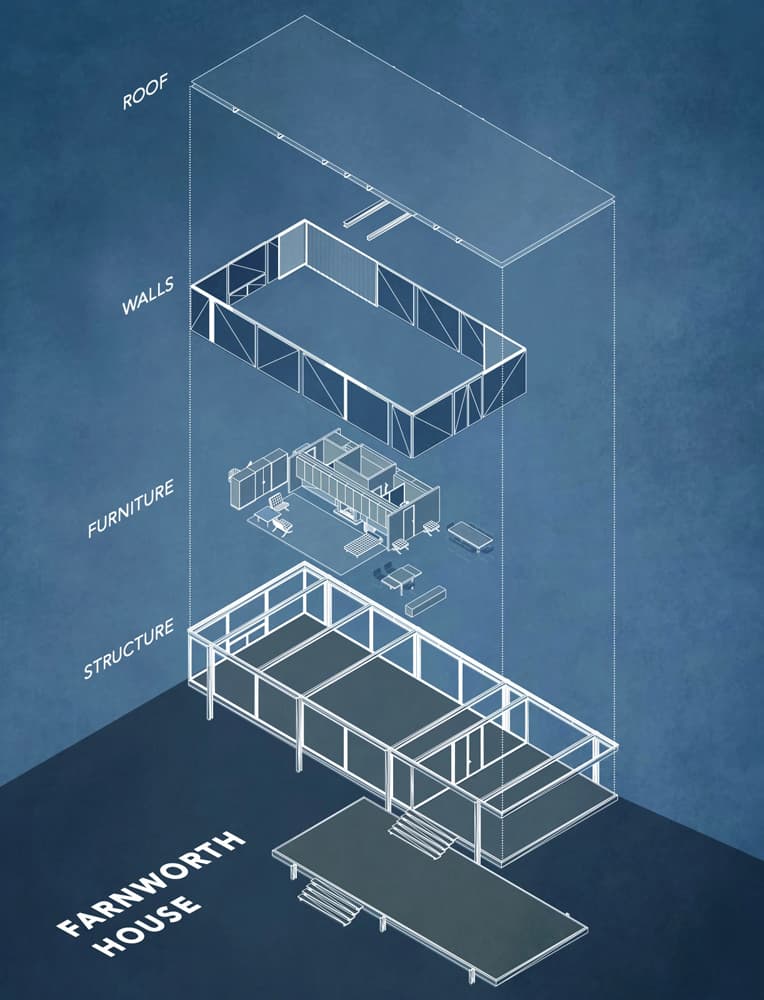
- Exploded axonometric diagrams
- Activity diagrams
- Live demonstrations
Session 6: AI in Diagram Workflow
- AI in architectural graphics
- Diagram generation and styling
- Enhancing visuals with AI
- Converting diagrams into presentation graphics
- Limitations and best practices
Session 7: Portfolio Integration
- Placing diagrams in a portfolio
- Visual hierarchy and layout
- Structuring projects
- Common mistakes and improvements
Session 8: Review & Closing
- Complete workflow recap
- Q&A and discussion
- Portfolio tips for internships and jobs
- Next steps


.jpg&w=3840&q=75)



.jpg%25202.jpg&w=3840&q=75)