PAACADEMY
Sign In
PAACADEMY
BundlesMembershipBusiness
Become ProSign In
Loading

PA.ACADEMY

Online EdTech platform · Est. 2016

Shaping the next generation of designers, architects, and makers through computational tools and immersive education.

Reach out

[email protected]

Platform

CoursesMembershipsBundlesProjectsInstructorsSoftwaresBoardsBlogFree coursesEarnCertificatesReviews

Company

AboutBusinessBecome an InstructorContactFAQSupportChangelogWe're Hiring

© 2026 PAACADEMY. All rights reserved.

Privacy PolicyCookie Policy
Loading bundle
Courses3D ModelingMaya for Beginners 101: Cyber Tower
✦ Recently Added Workshop May 17, 2026 4 Hours 1 views
Add to favoritesBuy as gift
Share link

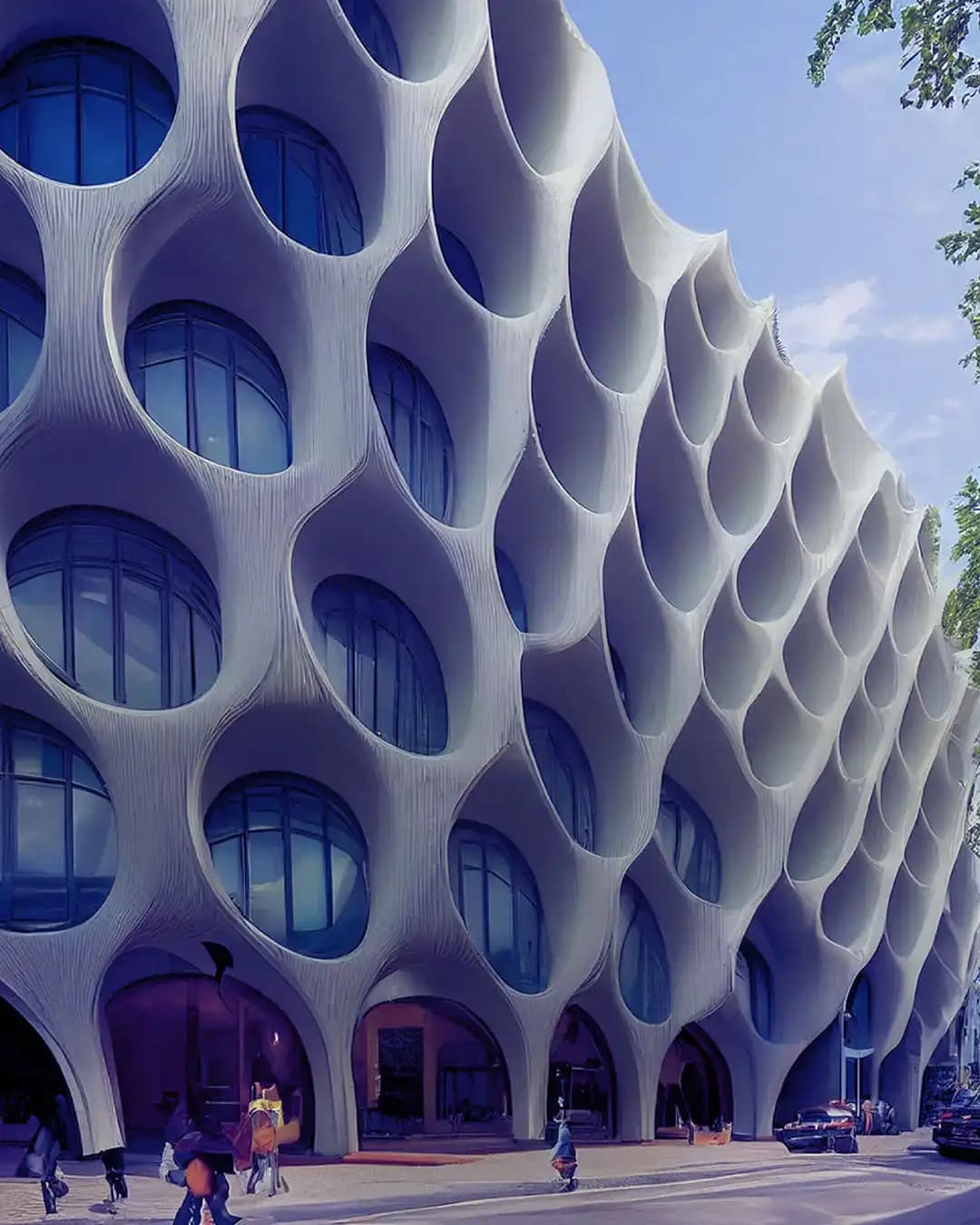
Maya for Beginners 101: Cyber Tower

This beginner-friendly course introduces the fundamentals of Autodesk Maya by creating a Cyber Tower, covering essential tools and 3D modeling techniques.

OverviewCourse contentGalleryInstructorsReviews
Jan Wilk
Verified Account

3 courses·5.0

Autodesk Maya
Autodesk Maya
Autodesk Maya
Autodesk Maya
Autodesk Maya
Autodesk Maya

About this workshop

Autodesk Maya is a professional 3D computer graphics software widely used in film, animation, and game development for its advanced capabilities in modeling, animation, simulation, and rendering.

Its comprehensive toolset and node-based workflow make it an essential platform for artists and studios aiming to create high-quality visual effects, realistic character animations, and complex digital environments within a single production pipeline.

This workshop provides participants with a comprehensive introduction to the fundamentals of Autodesk Maya 3D modeling software, a sophisticated tool for high-end design.
We will establish an efficient 3D modeling workflow that encompasses the organization and optimization of essential tools. Subsequently, we will concentrate on cultivating practical skills for designing clear and effective geometries.

What you will learn

  • 01

    Navigate and customize the Autodesk Maya interface for efficient workflow

  • 02

    Elevate your 3D models using advanced polygon editing and subdivision surface workflows

  • 03

    Learn how to design strategically using manual low-poly modeling to create fluid shapes.

  • 04

    Low-poly polygon modeling techniques

  • 05

    High-poly polygon modeling techniques

Methodology

Students will learn a range of low-poly polygon modeling techniques to create clean, efficient, and visually appealing geometries with smooth, flowing forms. Emphasis will be placed on developing a strong understanding of form, proportion, and topology while working within a low-poly framework.

We will then move on to more advanced modeling operations, building upon previously created geometry to add complexity, detail, and character to each project. Students will apply these skills in an individual final assignment, allowing them to develop and present their own unique work.

Program:

  • Introduction to the Autodesk Maya interface and navigation
  • Setting up the software environment
  • Creating basic geometries and developing an understanding of core modeling principles
  • Hands-on modeling exercises to reinforce foundational skills
  • Application of previously learned 3D modeling techniques to create a simple yet iconic model of Cyber Tower
  • Generating a range of inspiring conceptual images using a simple lighting setup within Autodesk Maya
 

Course Content

6 Lessons

Course gallery

Highlight gallery

Extra Images

Software & tools

Autodesk Maya

Instructors

Jan Wilk
Jan Wilk
3 Courses5.0
Jan is an architect and designer currently working at minD Design Studio based in London. He holds a Master of Architecture degree from WBiA - University of Technology in Poland. Jan, with his deep passion for contemporary design shaped by fluidity and elegance, believes that human comfort emerges from graceful, flowing forms. A careful attention to detail defines his work, giving each project a unique and enduring value.
Add to favoritesBuy as gift
Share link

Reviews

Purchase or enroll in this course to leave a review.
0 Reviews
0 Comments

No reviews yet. Be the first!

    5 / 5Course rating
    May 17, 2026Course dates
    50 SeatsAvailable seats
    6 LessonsTotal content
    CertificateUpon completion
    All levelsDifficulty
    4 HoursTotal duration
    15:30 - 17:30Session hours
    SaturdaySchedule
    LifetimeAccess