




Instructor
Riccardo Piazzai
4.0instructor rating1course
This workshop will focus on introducing participants to Building Information Modeling (BIM) using Autodesk Revit.
We value your privacy.
We use strictly-necessary cookies to keep you signed in and the service operational, and analytics cookies to understand how the site is used. With your consent, we also use preference and marketing cookies. You can change your choice anytime; see our Cookie Policy or Privacy Policy.
This workshop will focus on introducing participants to Building Information Modeling (BIM) using Autodesk Revit.
Instructor
Learn the fundamentals of BIM and dive into your first design project. Building Information Modeling (BIM) is the foundation of digital transformation in the architecture, engineering, and construction (AEC) industry. Is the process of creating and managing information for a built asset. Based on an intelligent model and enabled by a cloud platform, BIM integrates structured, multi-disciplinary data to produce a digital representation of an asset across its lifecycle, from planning and design to construction and operations.
Introduction to BIM: Understand the fundamentals of Building Information Modeling (BIM) and its importance in the architecture, engineering, and construction (AEC) industry.
Getting Started with Revit: Learn the basics of Autodesk Revit, including how to set up a project and navigate the software interface.
3D Modeling Techniques: Gain hands-on experience in creating 3D models of typical building typologies, such as residential structures.
2D Documentation: Discover how to generate essential 2D documentation from your 3D models, including plans, sections, and elevations.
Collaborative Workflow: Experience a collaborative workflow by synchronizing changes on a central file, enhancing your understanding of BIM's capabilities in a team setting.
How the 2 days are spent, session by session.
Saturday · Apr 8, 2023
Sunday · Apr 9, 2023
The goal of the Revit workshop for beginners is to deliver an engaging and hands-on learning experience utilizing BIM methodology. Participants will be able to view real-world examples of how the BIM approach is applied in the architectural, engineering, and construction (AEC) sector through project displays as part of the workshop. Furthermore, the workshop will feature a presentation in which the instructor will deliver a “hands-on” experience to demonstrate the Revit software’s functionalities.
Following that, students will get the opportunity to practice and become more comfortable with the program by repeating the actions described. Students will work individually and if there will be time, students will work on a local file synchronizing their changes on a central file stored on a dropbox cloud.
This workshop will focus on introducing participants to Building Information Modeling (BIM) using Autodesk Revit. We will be working on typical building typologies, such as a residential building, and participants will learn how to create 3D models and generate 2D documentation using Revit.
Revit is a powerful BIM software application widely used in the AEC industry that offers a wide range of modeling and documentation tools. The scope of this workshop is to provide participants with a basic foundation in BIM and Revit, enabling them to create their own 3D models and documentation for typical building typologies.
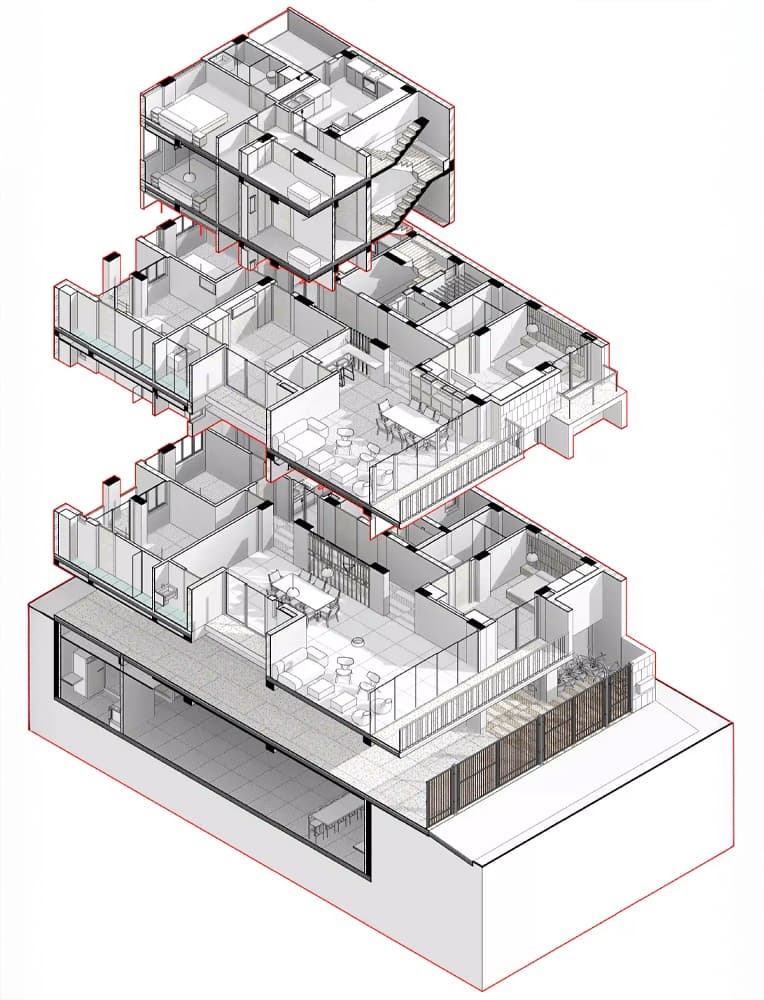
By the end of the workshop, students will be able to set up a project, create and edit walls, floors, ceilings, master families, build mass models, and more. The final output will be a BIM model and a basic drawing set of the project.
Instructor
This workshop will focus on introducing participants to Building Information Modeling (BIM) using Autodesk Revit.
 Robert HoffmannAug 8, 20265.0out of 5
I have now watched 5 Revit Tutorials and this one is by far the best, straight to the point and well organized
Aayush RathaurJul 17, 20264.0out of 5Informative and concise
 Md Tareq AbdullahDec 1, 20255.0out of 5
I just finished Revit for Beginners 1.0 — and I’m really glad I did! The course gave a clean, friendly intro to Autodesk Revit and Building Information Modeling (BIM), guiding me step‑by‑step from opening a project to modeling walls, floors, roofs and basic building elements.  It also showed how to turn 3D models into 2D drawings (plans, sections, elevations), which felt super useful.  By the end, I felt confident to design a simple building and produce coherent drawings — perfect if you’re just starting out and want to learn BIM properly.
AlethiaSep 12, 20255.0out of 5This was really great to review the fundamentals to Revit! Thank you! I found some basic things that I should have known and now that I do it will help my workflow!
Abdullah Al-AliFeb 4, 20255.0out of 5amazing !!
I have now watched 5 Revit Tutorials and this one is by far the best, straight to the point and well organized
Informative and concise
I just finished Revit for Beginners 1.0 — and I’m really glad I did! The course gave a clean, friendly intro to Autodesk Revit and Building Information Modeling (BIM), guiding me step‑by‑step from opening a project to modeling walls, floors, roofs and basic building elements.  It also showed how to turn 3D models into 2D drawings (plans, sections, elevations), which felt super useful.  By the end, I felt confident to design a simple building and produce coherent drawings — perfect if you’re just starting out and want to learn BIM properly.
This was really great to review the fundamentals to Revit! Thank you! I found some basic things that I should have known and now that I do it will help my workflow!
amazing !!
 01Evolutionary Computational DesignGhazal Javidan€35.00
 02Grasshopper For Beginners 2.0Mehmet Berk Bostancı€35.00
 03Revit Basics 101: BIM FundamentalsAbhishek Jain€35.00
 04Taking Control: Midjourney x ControlNetCarlos Bañón€160.00
 05Midjourney ArchitectureTim Fu€120.00
 06Social Media For DesignersHamid Hassanzadeh€105.00