


Article
Courtesy of The Dynamo Primer
Architecture today relies heavily on technology. Instead of drawing plans by hand, most architects now use advanced software to design buildings. One of the most popular tools is Autodesk Revit, a Building Information Modeling (BIM) program. With Revit, architects can create a 3D model of a building while also storing important details such as dimensions, materials, and systems. This means every wall, window, or floor in the model contains data that makes it intelligent and useful. That’s what sets Revit apart from traditional 2D drafting.
However, as useful as Revit is, it also has limitations. For example, architects working on large projects often spend a lot of time repeating the same steps: creating sheets, placing views, or adjusting hundreds of elements one by one. Revit also struggles when it comes to highly complex or unusual shapes, such as curved facades or patterned surfaces.
What is Dynamo for Revit?
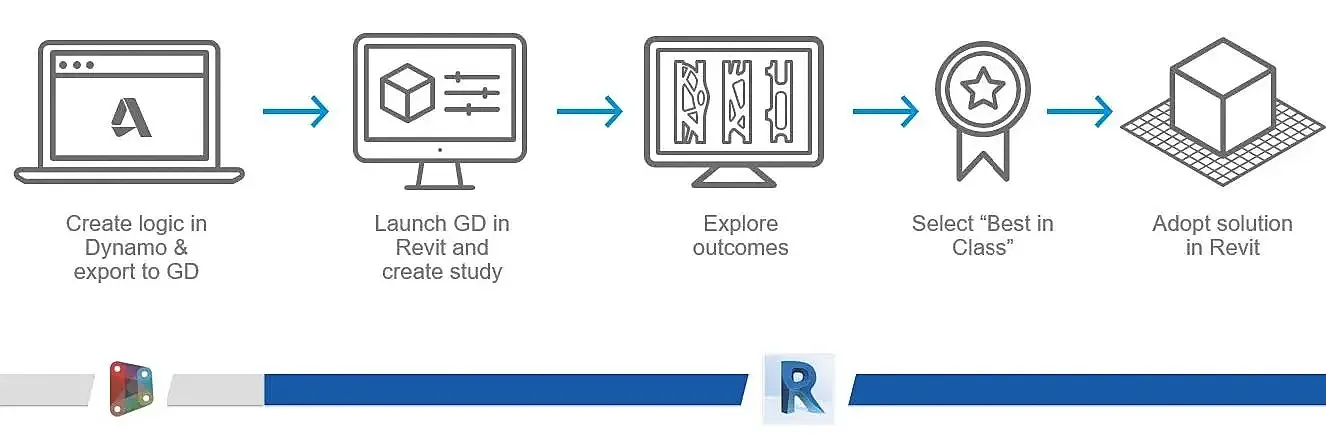
Dynamo extends the power of Revit. Dynamo is an add-on for Revit that introduces the world of visual scripting. Instead of writing computer code, Dynamo uses a simple interface made up of nodes that you can connect, almost like building blocks. Each node represents an action, such as “select all walls” or “calculate floor area,” and by linking these nodes, you can build custom scripts. These scripts allow Revit users to go beyond the software’s normal capabilities. With Dynamo, architects can automate repetitive tasks, explore complex designs, and connect Revit to external data sources like Excel or analysis tools.
In short, while Revit is the foundation for BIM workflows, Dynamo acts as an intelligent assistant that expands the possibilities. Together, they form a powerful combination that is changing how architects design and deliver projects.
1. Automating Documentation
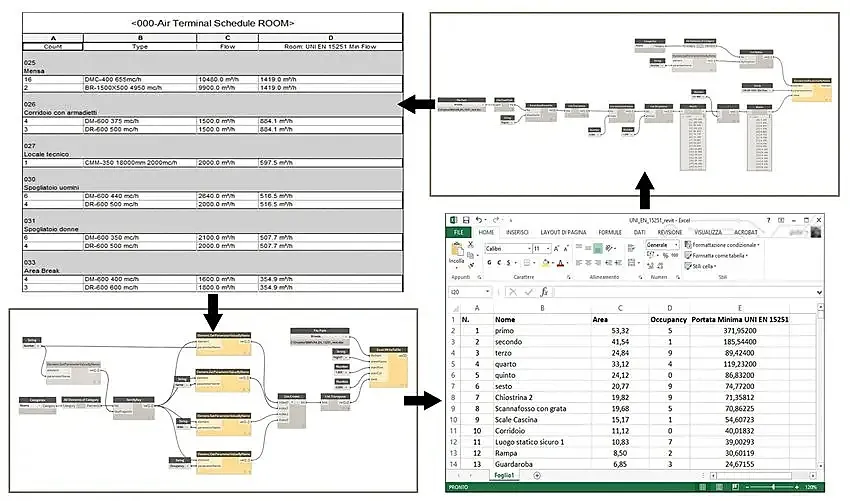
Documentation is one of the most time-consuming parts of architecture. A large project can require hundreds of drawings, each organized onto sheets with names, numbers, and views. Normally, an architect has to create these one at a time, which is slow and repetitive. Dynamo scripts can automate this entire process. For example, with just one script, an architect can generate all the sheets needed, apply a consistent naming system, and even place the right floor plans or sections onto them. This saves hours of manual work and ensures that drawings are always consistent across the project.
For firms working on housing blocks, hospitals, or corporate offices, this kind of automation is a game-changer. It reduces errors, speeds up production, and allows architects to spend more time focusing on design instead of paperwork.
2. Quality Control and Model Checking
When many people collaborate on the same BIM model, mistakes are bound to happen. Two walls might overlap, parameters may be missing, or certain rules may not be followed. Dynamo scripts can act like a built-in quality checker. They can scan the model, flag errors, and even correct certain issues automatically.
This kind of automation reduces the risk of costly mistakes later during construction. It also helps maintain high standards of accuracy, which is especially important on large projects where coordination between teams can be complex.
3. Designing Complex Forms
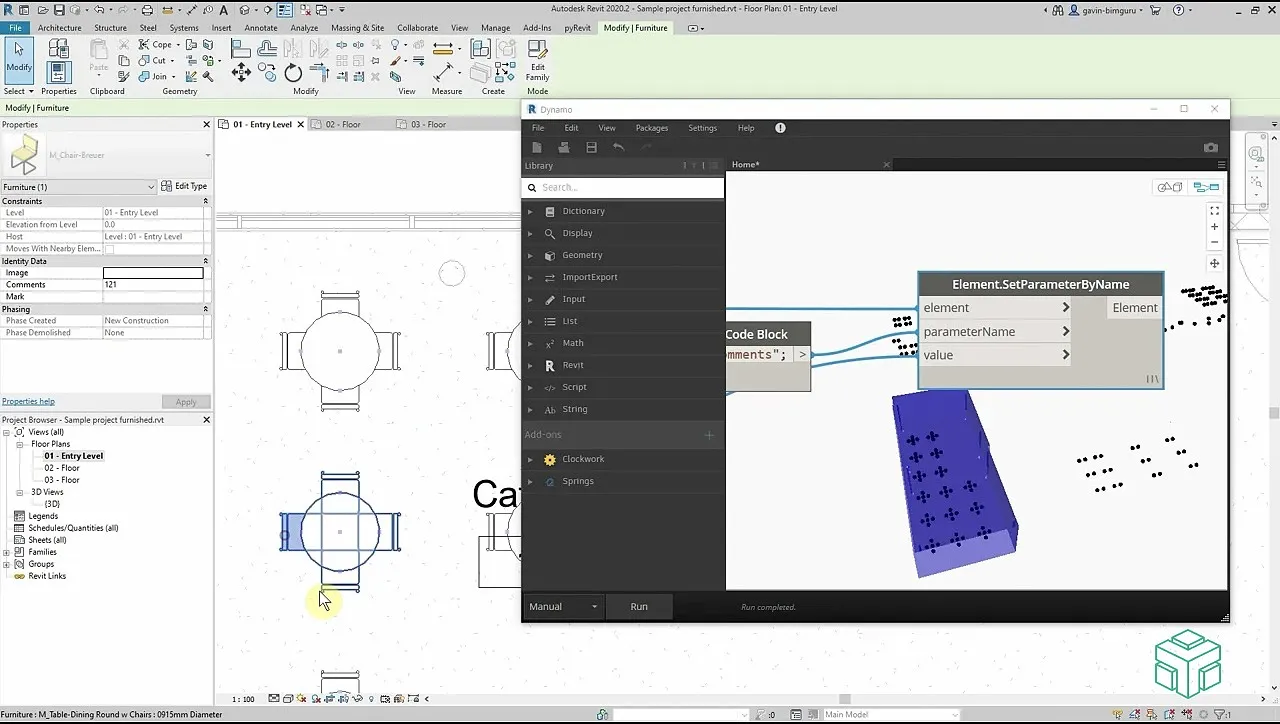
Revit is excellent for standard buildings, but when it comes to free-flowing, organic shapes or detailed facade patterns, it can feel restrictive. Dynamo gives architects more freedom to design. With scripts, you can create parametric models such as shapes and patterns that respond to rules or formulas. For instance, you could design a shading system where the size of each panel changes depending on the angle of the sun. Or you could generate a facade pattern based on mathematical sequences or environmental data.
This ability to move beyond fixed geometry allows architects to experiment while still keeping the design connected to the BIM model. That means the geometry isn’t just visually interesting, but also measurable and ready for construction.
4. Managing Building Data
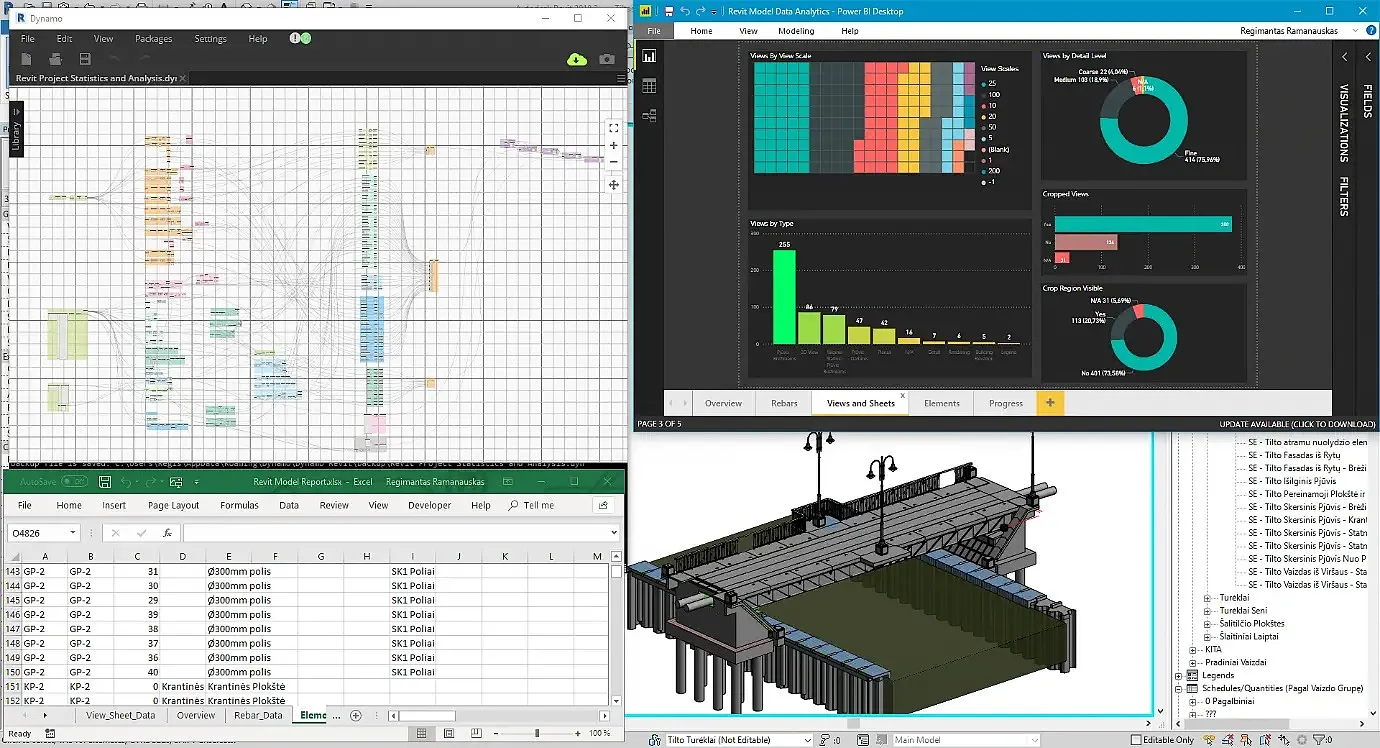
One of the advantages of Revit is that every model is also a database. But handling that much information inside Revit can be overwhelming. Dynamo helps architects access, sort, and organize building data more easily. For example, you can create a script that exports room areas, material quantities, or window sizes directly into Excel. You can also compare design options against project requirements, such as checking if the number of classrooms matches the client’s brief. Clients, engineers, and contractors can all benefit from this clearer flow of information.
5. Designing for Climate and Sustainability
Sustainable design is now a central part of architecture. Dynamo allows architects to connect Revit models with environmental analysis tools, making it easier to design buildings that respond to their surroundings. Scripts can run quick studies on sunlight, shading, or daylight penetration inside rooms. They can also test how different orientations or window sizes affect energy performance.
For example, a Dynamo script might automatically adjust shading panels on a facade depending on the amount of sunlight in each season. This improves comfort for the people inside and reduces energy use. By integrating performance analysis into the design process, Dynamo helps architects make climate-responsive decisions.
6. Automating Repetitive Modeling
Another way Dynamo saves time is by automating repetitive modeling tasks. Imagine needing to place hundreds of lights in a ceiling grid or arranging furniture across dozens of apartments. Doing this manually would take hours, but with Dynamo, a script can place all the elements automatically based on rules or patterns. The result is not only faster but also more precise, since the computer follows exact logic.
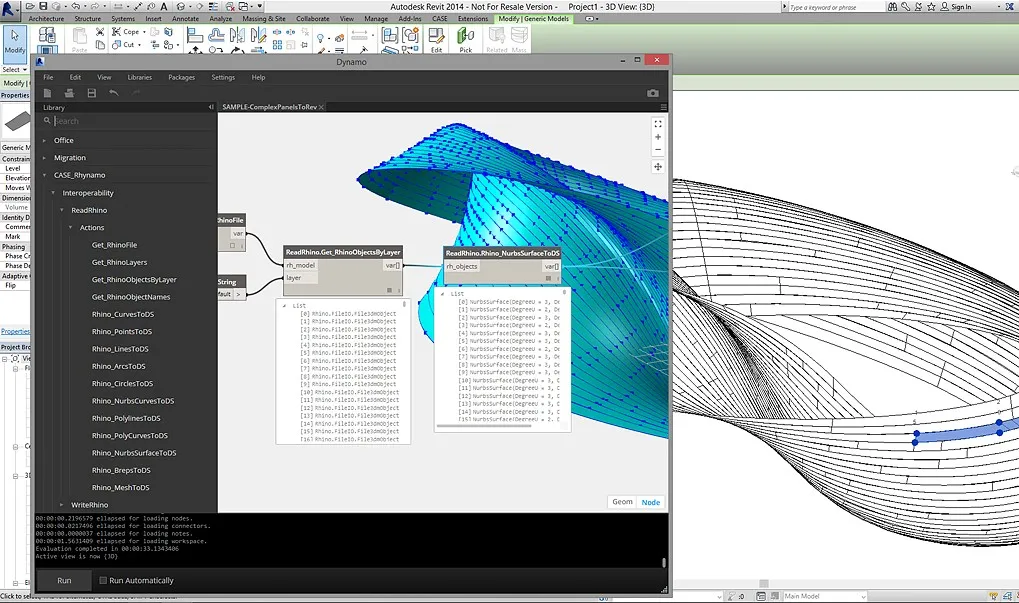
Autodesk Revit has already transformed how architects design and document buildings by combining 3D modeling with intelligent data. However, as projects become more demanding, Dynamo offers the extra flexibility that architects require. It takes the repetitive, time-consuming parts of Revit and automates them. It allows architects to create complex, rule-based designs. It opens up building data for analysis and improves sustainability by connecting design to environmental performance. It ensures higher quality by catching errors before they become construction problems.
For those interested in diving deeper, Revit Flow 1.0 by Mustapha Nachar is a PAACADEMY workshop that explores advanced Revit workflows and their integrations.




.jpg&w=3840&q=75)


